From FLUX 2 Klein to FLUX 3 Klein
Upgrade from FLUX 2 Klein to FLUX 3 Klein
FLUX 3 Klein is the newer small model in the FLUX family, and this page is about the move from FLUX 2 Klein: the same prompt box, one model that both generates and edits, and 1K or 2K frames in fifteen aspect ratios. Everything below runs in the browser, on our servers.
Already working in FLUX 2 Klein? You can also compare with a browser-based FLUX 3 Klein generator that runs the same prompt-first workflow with no install.
FLUX 3 Klein output after the upgrade
Four images generated with FLUX 3 Klein at 1K. The prompt under each one is the exact text the model received — your FLUX 2 Klein prompts work here too, with a few details to adjust.
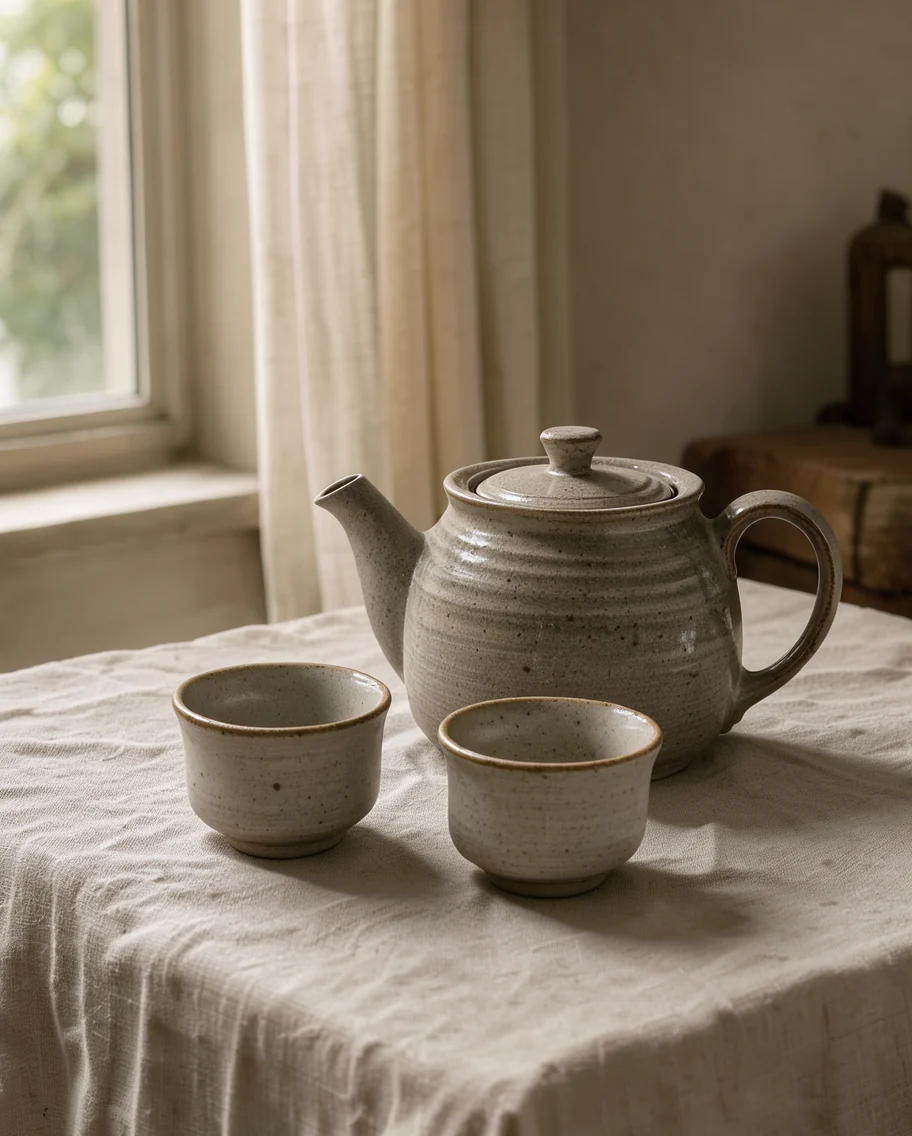
Teapot still life
Editorial photograph of a stoneware teapot and two small cups on a linen cloth, soft morning light from a window on the left, muted warm palette, 50mm lens.
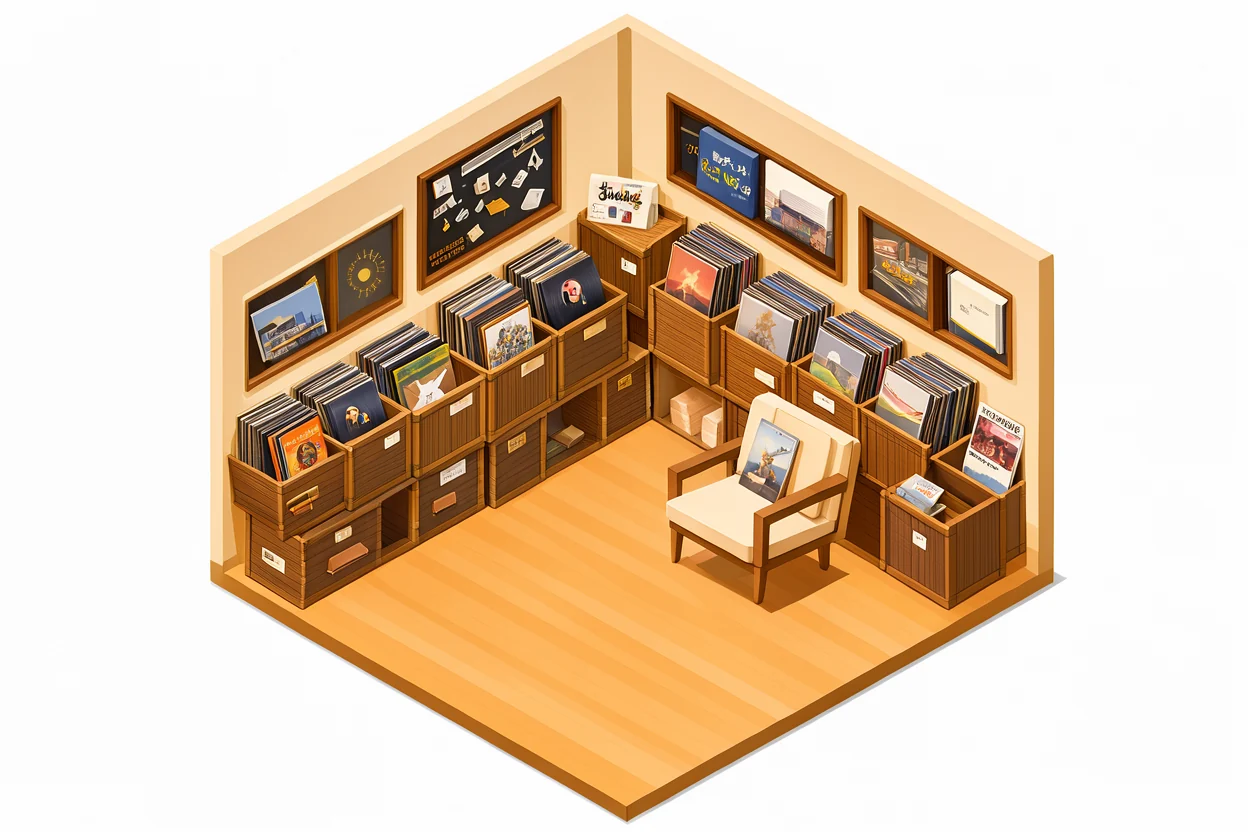
Flat interior illustration
Flat isometric illustration of a small record shop interior, wooden crates of vinyl along the wall, a listening chair, warm amber and cream palette, clean geometric shapes, no text, no letters.

Night scene with a neon sign
Night photograph of a food truck with a neon sign reading "OPEN LATE" in red script, wet asphalt reflecting the light, two customers waiting, cinematic colour.

Macro detail
Macro photograph of frost crystals spreading across a dark window pane at dawn, cool blue and grey tones, sharp detail on the ice, shallow depth of field.
What FLUX 3 Klein does well
Two jobs in one model: draw a new image, or change one you already have.
Scenes, not keyword lists
Klein follows whole-frame descriptions. Say what is in the picture, how it is framed, what is behind it and where the light comes from; one or two sentences beat a stack of tags.
Editing from your own photos
Attach a photo and describe the change: swap the surface, recolour the mug, clear the clutter off the table. The same model switches from generating to editing.
Combining up to three images
Name each reference as @image-1, @image-2 and @image-3 in the prompt, then say which object goes where and what the light should do.
1K and 2K output
Choose the resolution before you generate. 1K is enough to judge a composition; 2K is for images you plan to crop into.
Fifteen aspect ratios
1:1 and 4:5 for social formats, 3:2 and 16:9 for photography and video frames, 21:9 for wide compositions and 9:21 for full-screen vertical.
Short text inside the image
Quoted headlines, dates and labels usually come out clean, which is what makes poster and packaging mockups practical.
How to use FLUX 3 Klein
Three habits that decide how close the result lands.
Describe the whole frame
Write what is in the picture, how it is framed, what sits behind it and where the light falls. Put any words that must appear in the image inside quotes.
Attach references when you are editing
Add up to three photos under the prompt box. Refer to them as @image-1 and so on, saying what each one contributes and what must stay unchanged.
Generate, then change one thing
Download the version you like and adjust a single detail per run: the light, the background, the surface. One change at a time is easier to steer than a full rewrite.
FLUX 2 Klein and FLUX 3 Klein, side by side
Both models stay available on this site. These are the differences that matter when you upgrade, read from how each model is configured here.
| FLUX 2 Klein | FLUX 3 Klein | |
|---|---|---|
| Model variants | 9B and 4B | One model |
| Text-to-image credits | 4 for 9B, 2 for 4B | 2 at 1K, 8 at 2K |
| Edit credits with 1, 2 or 3 reference images | 6 for 9B, 4 for 4B | 4, 5, 6 at 1K; 13, 15, 17 at 2K |
| Output resolution | About 1 megapixel | 1K or 2K |
| Aspect ratios | 7: 1:1, 3:4, 4:3, 5:8, 8:5, 3:5, 5:3 | 15, from 1:1 to 21:9 and 9:21 |
Credit costs and limits are read from how each model is configured on this site. FLUX 2 Klein returns fixed frames of roughly one megapixel; FLUX 3 Klein adds an explicit 2K tier and fifteen aspect ratios.
What people make with FLUX 3 Klein
Product and packshot photos
Start from a photo of your own product and place it on a new surface, in a new room or under different light instead of booking another shoot.
Posters, covers and social graphics
Short headlines and dates render as part of the design, so a first pass is already close to a finished layout.
Editorial and lifestyle images
Portraits, food and interiors with a named camera, a film look and a specific time of day.
Combining items from several photos
Move the bottle from one photo onto the counter in another and match the shadows, using two or three references.
Illustration and concept frames
Flat vector scenes and mood frames with space left for a title.
Before you upload
What the generator on this page accepts and returns.
Up to 3 reference images
One image edits that picture; two or three combine them. This generator stops at three, so plan the references before you start.
PNG, JPEG or WebP, up to 5 MB each
Other formats and larger files are refused at upload, so export or compress the image first.
1K or 2K, JPEG, PNG or WebP out
1K is enough for previews and drafts. 2K costs more credits and is worth it when you plan to crop into the result.
Editing is approximate, not pixel-exact
The model redraws the whole image, so details shift slightly. Name what must stay — the table, the light, the shadows — and change one thing per run.
What FLUX 3 Klein costs
Credits are pay-as-you-go and a one-time pack never expires. Pick a pack when you run low, or a plan if you generate most days.
FLUX 3 Klein FAQ
What is FLUX 3 Klein?
FLUX 3 Klein is the small open-weight image model of the FLUX 3 family, and one model covers both text-to-image generation and image editing. This site runs it on our servers, so you use it in the browser without installing anything.
How is it different from FLUX 2 Klein?
FLUX 3 Klein is the newer member of the family: it returns 1K or 2K across fifteen aspect ratios, and a 1K text-to-image run costs 2 credits. Our FLUX 2 Klein workbench stays available in 9B and 4B variants for anyone already working with it.
Can I edit my own photos with it?
Yes. Attach a photo under the prompt box and describe the change, for example "replace the mug with a matte black one, keep the table and the light unchanged". With a reference attached the same model edits instead of generating.
How do I point at a specific reference image?
Call the references @image-1, @image-2 and @image-3 in the prompt and say where each one belongs, for example "put the bottle from @image-2 on the counter in @image-1".
What resolution and aspect ratios are available?
1K or 2K output, and fifteen aspect ratios from 1:1 through 4:5, 3:2, 16:9 and 21:9, plus 9:21 for vertical screens.
How much does one image cost?
One US dollar buys 100 credits. Text-to-image costs 2 credits at 1K and 8 at 2K. Editing costs 4, 5 or 6 credits at 1K with one, two or three reference images, and 13, 15 or 17 credits at 2K.
Why do short prompts look flat?
The model is tuned for full scene descriptions. A short tag list leaves framing, background and light undecided, so the result drifts. Write one or two sentences about the whole frame instead.
Can it put readable text in an image?
Short headlines, dates and labels usually come out right when they are in quotes. Long paragraphs are less reliable, so check the spelling before you publish.
Try FLUX 3 Klein on your next idea
Write one or two sentences about the image you want and see what comes back.